
Fridolin — mascot of the Catholic public libraries

Menu

Borrow books and more online

As part of the libell-e Süd consortium we can offer eBorrowing – also known as the Onleihe. It lets you borrow a wide range of digital items whenever and wherever you like – 365 days a year, 7 days a week, 24 hours a day.

eBooks: books
eAudio: audiobooks
eMagazine/eJournal: magazines
ePapers: newspapers

New features, a better experience – the new libell-e from 30 June

From the afternoon of 30 June, users of the libell-e Onleihe have an improved version of the digital library available to them.

It is not only easier to use and more accessible, it also brings many new features, such as the option to renew the loan period for every kind of item, synchronisation of reading and playback positions across devices between the Onleihe app and the web version, an unlimited watchlist, a loans history, and an easy-on-the-eyes dark mode.

From the changeover date, users of smartphones and tablets running Android, iOS or Fire OS can download the new Onleihe 3 app free of charge from the app stores; it replaces the previous app. Users who would like to use the Onleihe on a PC, laptop or PocketBook or tolino e-reader can go to meine.onleihe.de, which takes them straight to a central library picker and then to the login.

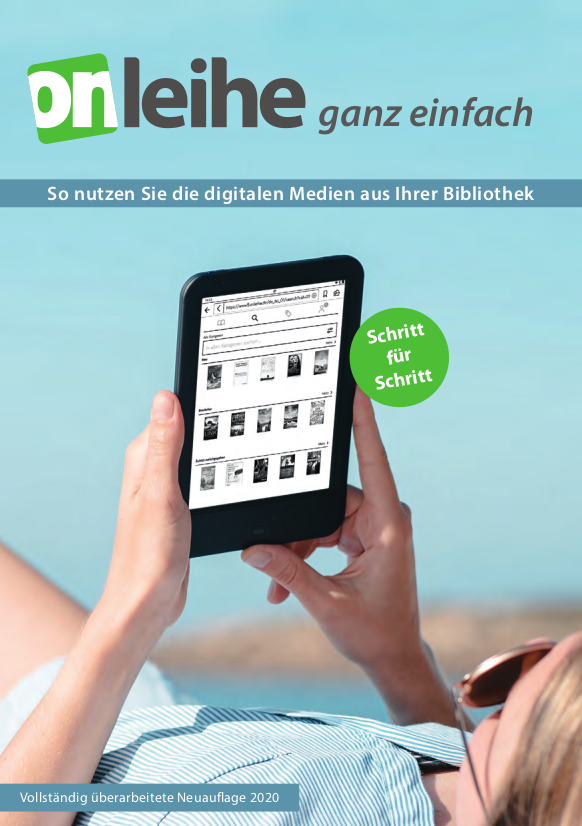
The technical requirements and all the information about Onleihe 3 can be found at hilfe.onleihe.de – as can the free Onleihe guide with the key points at a glance.
Not using our digital services yet?
Do come and see us in person; your library team will help you take the first steps and is happy to give advice and a hand if anything goes wrong.

New for Onleihe users

The software update of 28 April 2026 has substantially improved the interface on the current generation of tolino devices.

The main changes at a glance:

  • A menu entry of its own: under the “More” tab, readers now find a dedicated menu entry for the Onleihe.

  • No detour through the browser: access is now through a built-in interface, with no need to type URLs into a web browser.

  • Modern design: the new Onleihe start page does away with the classic browser bar and blends seamlessly into the rest of the device design.

  • The familiar search: searching for your library still works as intuitively as ever, by typing the name or the place.

The new, improved start page is available on older generations of e-reader too.
There it is still opened through the web browser at the address mytolino.de/onleihe, but it offers the same clearer view when picking a library.

You can find all the details of the changeover at mytolino.de/onleihe-neu and at hilfe.onleihe.de

The Onleihe:reader

The Onleihe:reader offers another way (alongside smartphone, tablet, e-reader and so on) to read most of the eBooks, newspapers and magazines in the Onleihe collection on a PC – straight in the browser.

The reader stores internally whichever items you have opened once in that browser, so that as long as the loan period has not run out you can carry on reading in the browser, offline as well.

There is more information here, and a guide as a PDF here.

Questions about the Onleihe

At the moment it happens fairly often that titles cannot be downloaded directly from the e-reader Onleihe.

Downloading on a PC with ADE and an Adobe ID still works as an alternative.
You can find a guide to that here.

What is the Onleihe?

The Onleihe is a digital service that lets you borrow digital items (eItems) such as digital books (eBooks), magazines (eMagazines) and audiobooks (eAudio) around the clock. For this you need a personal Adobe ID.

What are eBooks, eMagazines and eAudio?

eBooks are books in digital form, eMagazines are digital magazines. They offer you things you cannot do with printed books and magazines. You can search an eBook for particular words, for instance, or add notes to it without damaging the item.

eAudios are audiobooks in digital form.

What do I need in order to use the Onleihe?

In general:

  1. You need a valid library card.
  2. You need a PC or laptop, and possibly a tablet, e-reader or smartphone.
  3. You need an email address of your own and an Adobe ID of your own.

On a PC or laptop / e-reader:

  1. Adobe Digital Editions (version 2 or later) must be installed on your computer (for eBooks in ePub format), and under „Help-[gt]Authorise computer“ it must be authorised with your Adobe ID. If you do not have an Adobe ID yet, you can apply for one right there.
  2. Adobe Reader (version 8.x or later) to display eBooks and eMagazines in PDF format.

On Android devices, iPhone, iPod Touch or iPad:

  1. The Onleihe app must be installed, and on first launch Owingen Library must be chosen as your library. Alternatively you can search our eItems through eopac.owbib.de.

Internet access is helpful. You can also use the internet access at the library with your laptop, tablet, e-reader or smartphone.

Do I definitely need a special e-reader for eBooks?

No. You can just as well read eBooks on the PC, laptop, iPhone, iPod Touch, iPad or Android device you already have. Dedicated e-readers do, however, have these advantages over tablets:

  • very easy on the eyes, thanks to eInk (like paper) rather than the backlight that tires them.
  • very good readability in sunlight.
  • very long battery life, several weeks and sometimes even months rather than just a few hours.

But e-readers have these disadvantages compared with a tablet:

  • no colour screen
  • mainly for reading eBooks only, not for browsing, games, email and so on.

Dedicated e-readers start at around €60 for an entry-level model and around €130 for a top model. – see also the compatibility list for e-readers (Amazon's Kindle generally cannot be used). There is interesting reading about reading devices (eBook readers, smartphones, tablets) and their accessories at PAPIERLOS LESEN.

What is an Adobe ID and what do I need it for?

An Adobe ID is a user account with the software company Adobe. You use it to identify yourself in order to borrow our eItems. These usually carry copy protection (DRM) and are encrypted. By authorising several devices with the same Adobe ID, you can read the eItems you have borrowed on up to six different devices (e-readers, PCs, smartphones and so on) without infringing the copyright of the publisher or author.

If you do not have one yet, you can get your personal Adobe ID free of charge at www.adobe.de. Just click „Sign in“ at the top right and then „Create an Adobe ID“ where it asks „Not a member yet?“.

Which devices can I actually use?

Which one suits you best depends on how you like to read. The brochure eBooks - a guide for beginners is a very good place to start.

You can find a concrete overview of which devices can be used here:

What does the Onleihe cost me?

Nothing. Using the Onleihe is free. Because items are returned automatically when the loan period ends, no overdue or reminder fees can arise either.

What are my login details?

You log in with the same details as for your reader account in our online catalogue, that is your reader number and your personal password: log in to your reader account.

How do I borrow eItems?

On a PC or laptop / e-reader:

Open your web browser on your PC or laptop and browse our online catalogue as usual. For eItems a "zum Download" link appears, which takes you to the download page of the libell-e consortium. There you borrow the eItem you want by first clicking "in den Medienkorb legen" and then "Jetzt ausleihen". The very first time you borrow something you also have to accept divibib's terms and conditions. This is how you transfer the eItem you have borrowed to your mobile device:

On an iPhone, iPod Touch, iPad or Android device:

Open the Onleihe app and browse our range of eItems. When you want to borrow one, click "Jetzt ausleihen", answer the question that follows with "OK" and open the eItem in the Bluefire Reader. Once it has downloaded, you can read it.

Items that are on loan can also be reserved there. You will be notified by email as soon as one becomes available.

Can I renew my eItems?

For technical reasons the loan period cannot be renewed at the moment. You can simply borrow the item again, though, as long as another reader has not already reserved it.

Tip: if you do not close the file on your reading device, you can still finish the last few pages of your crime novel in peace after the loan period has ended.

How do I return an eItem?

The loan period ends automatically and the eItem can no longer be used after that. An eBook or eMagazine can also be returned early, with the exception of eBooks in the "Engl. eBooks von B&T" category.

Why isn't every bestseller in the Onleihe?

In strictly legal terms, libraries currently have no entitlement to digital items, either to buy or to lend them. That eBooks are nevertheless available in the Onleihe comes down to publishers' willingness to release books under certain conditions – or not. Not all publishers offer libraries the licences involved.

What is a Plus title?

A Plus title is an eItem that is always available to borrow, even when another reader already has it on loan. When you borrow one, it does not count towards your eItem borrowing limit.

I'm not getting a reply from the project office?

Please tell us when you contacted the Borromäusverein project office, about which problem, and by which route, so that we can follow it up with them.

What should I do if I have further questions or problems?

First check whether the Onleihe provider divibib has published announcements or information about current problems at support.onleihe.de. Here you can check whether your login details are (still) valid.

The libell-e Onleihe consortium has its own project office at the Borromäusverein, which is there for you with any questions or problems to do with the Onleihe. You can reach it through:

You are always welcome to speak to the library team during opening hours as well. Outside opening hours you can reach us by email around the clock at info@owbib.de. We try to answer as quickly as we can, in the evenings and at weekends too. The Onleihe user forum is also open to you at any time.